OTP Sync
Sync OTPs from Gmail, SMS, WhatsApp & any notification to your PC — instantly & securely
OTP Sync Companion
Never Type an OTP Again.
Instantly Sync to your PC.
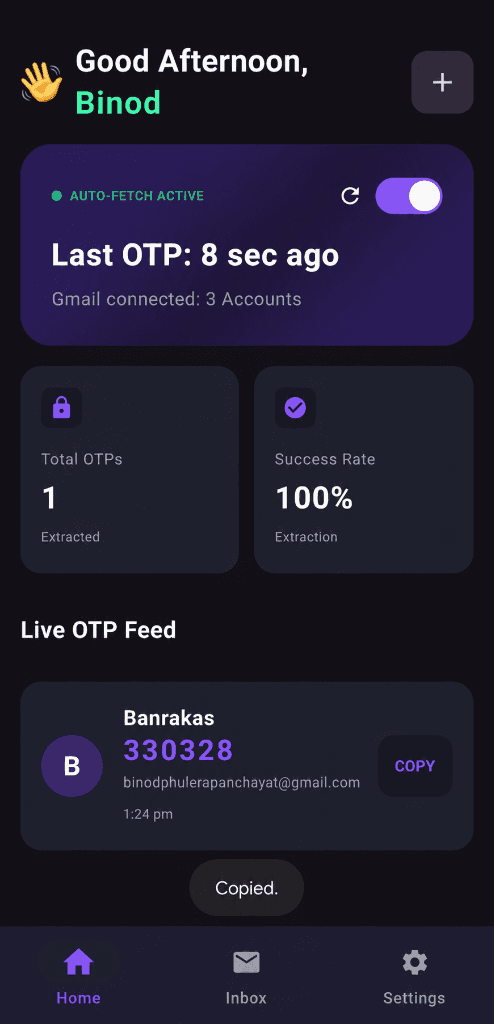
OTP Sync magically extracts OTPs from your phone notifications and beams them directly to your computer's clipboard. No servers, no accounts, 100% private.
Companion Extension
Link your PC effortlessly in 3 seconds. Just scan the QR code from our Chrome Extension—no accounts, no logins.
Zero Server Architecture
We don't store your data. In fact, we can't. Your OTPs flow directly from your phone to your PC.
End-to-End Encrypted
Every OTP is encrypted on your phone and decrypted on your PC. it's completely impossible for anyone else to read.
Smart Paste
Focus on your work. The OTP is instantly copied to your clipboard with a non-intrusive Toast notification.
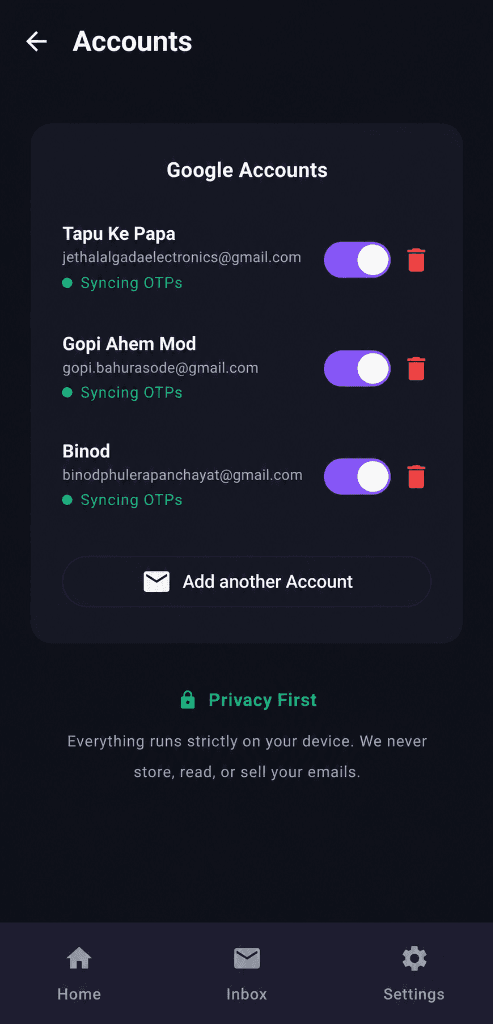
Magic Clipboard
Sync.
The second an OTP hits your phone via SMS, WhatsApp, or email, OTP Sync's Instant Sync Engine catches it. It magically copies the code to your clipboard in the background, so you can paste it into your app without ever opening your inbox.
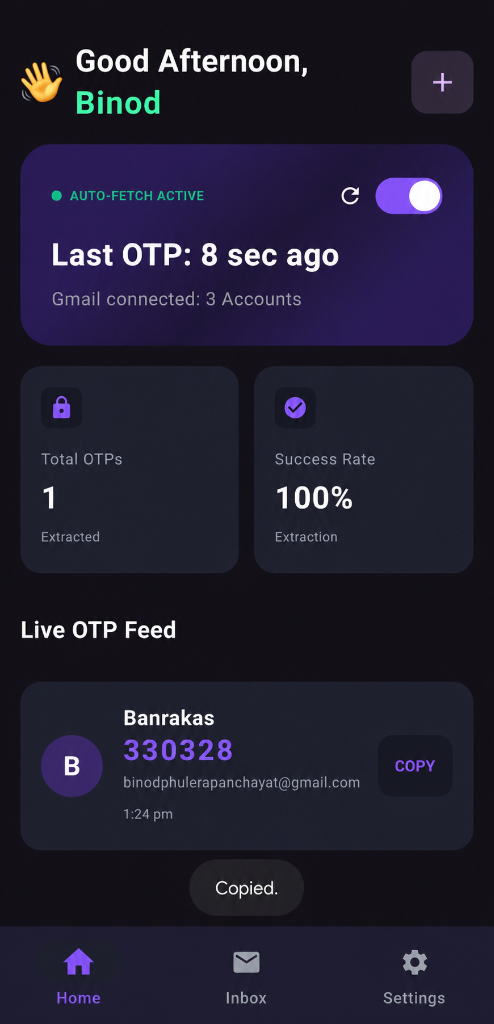
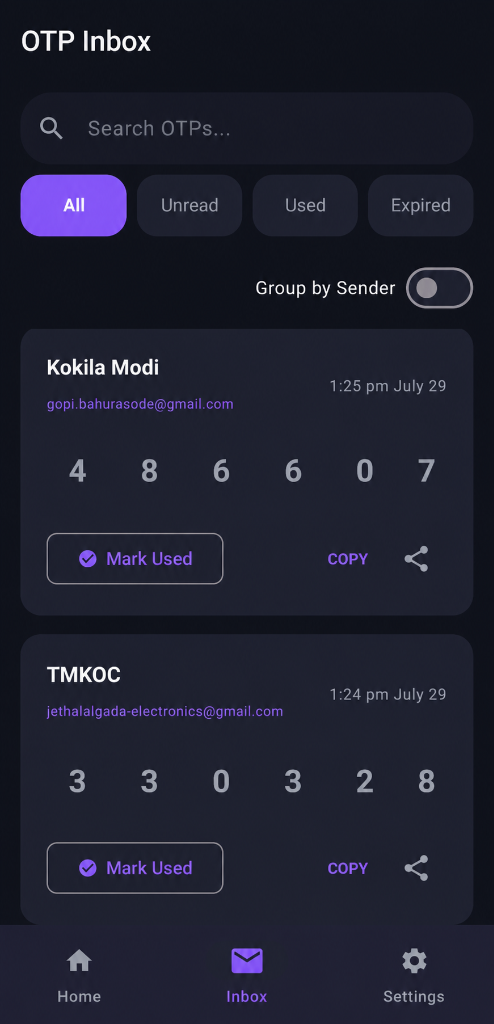
Your entire history,
locked & organized.
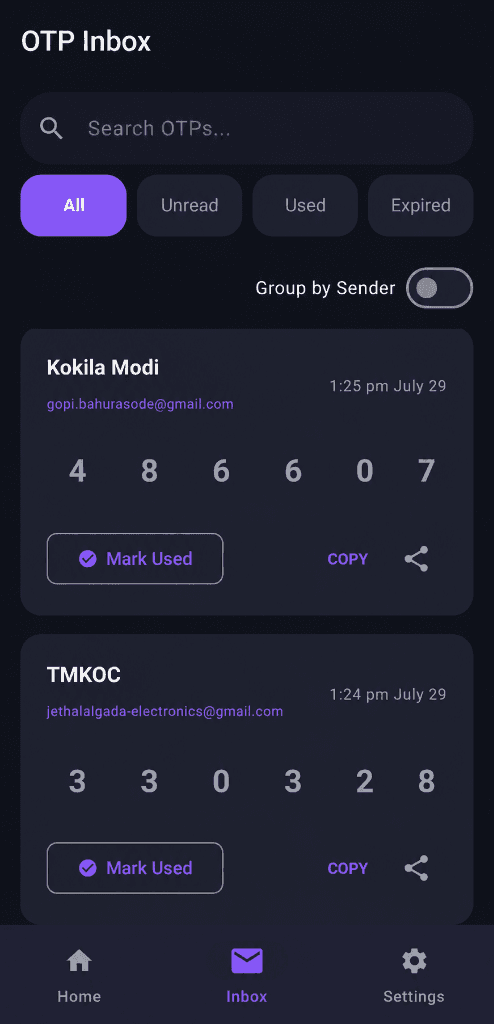
Keep track of every authentication request in one clean, beautiful Inbox interface. Your OTP history is stored safely on your device and protected by your phone's native Biometric lock.
Silent, battery-friendly
background sync.
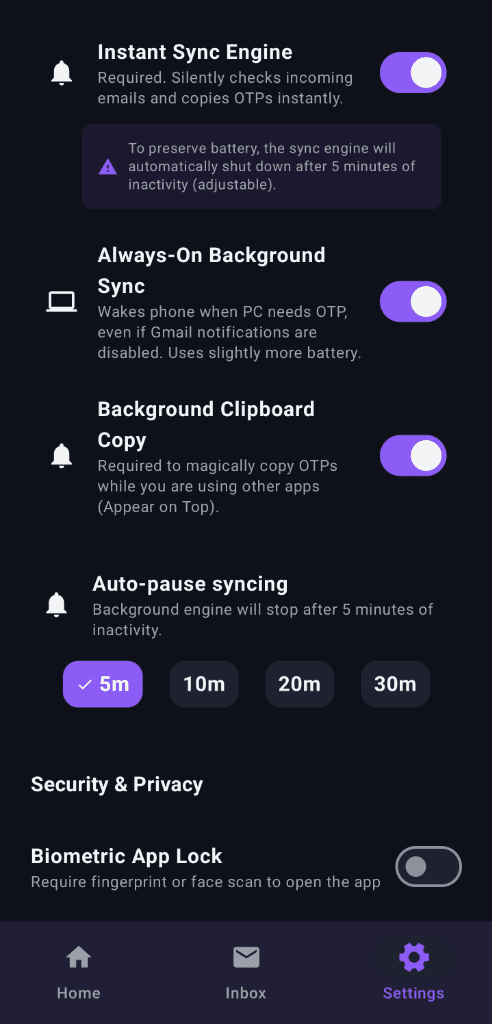
OTP Sync runs completely locally on your Android device. It intelligently polls your connected Google accounts in the background, automatically pausing when inactive to preserve your battery life.
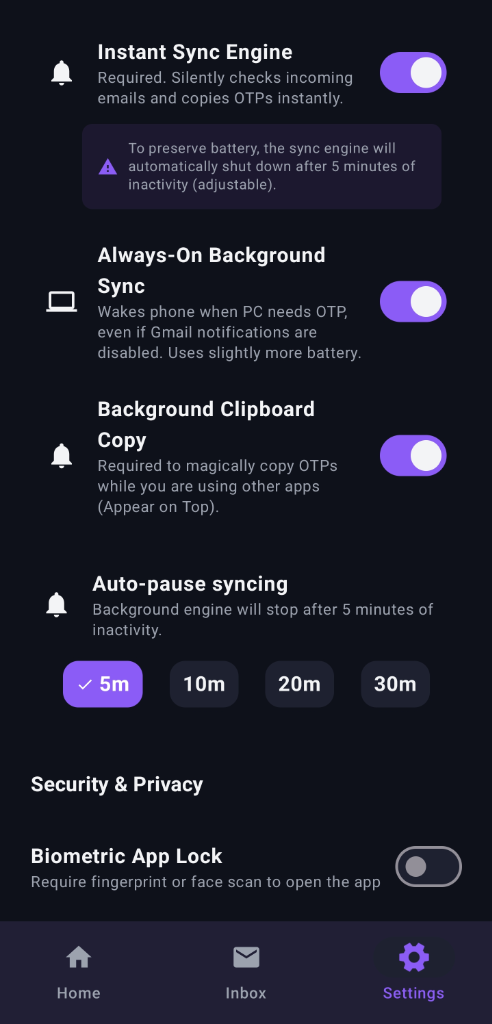
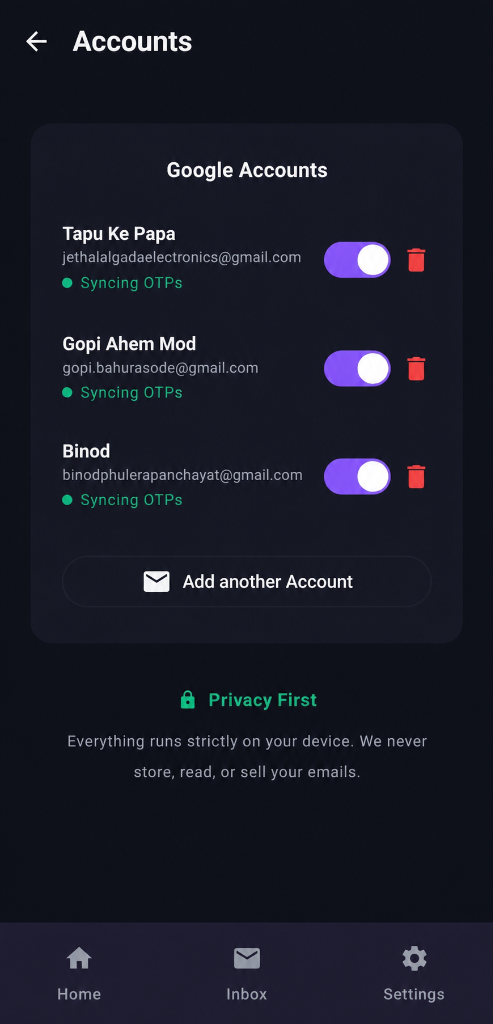
Total control over
your accounts.
You hold the keys. Connect directly via official Google OAuth. No middleman servers, no third-party databases, and absolute zero telemetry tracking your activity.
How It Works
Arrives on Phone
Google delivers the OTP securely to your inbox.
Instant Extraction
OTP Sync instantly reads the notification from any app.
Auto-Clipboard
The OTP is magically copied to your clipboard in the background.
Ready to Paste
Simply paste the code into your app and you're in.
Core Features
Security without compromise.
Biometric Lock
Secured locally on your device. Only you can access your synced codes using your fingerprint or face unlock.
100% Local Processing
No third-party SaaS involved. Your emails are processed directly on your Android device. Your data never leaves your phone.
Smart Deduplication
Automatically merges OTPs caught by notifications and the backend engine into one clean, organized inbox entry.
Fully Open Source
Every line of code is public. Audit it, fork it, or contribute to it. Absolute transparency by design.
Understanding How It Works
OTP Sync doesn't rely on basic polling. We built a custom architecture to ensure you never miss a code, driven by our Dual-Engine.
Why is OTP Sync Android-Only?
We get asked a lot about an iOS version. The truth is, OTP Sync is a "superpower" app that relies on deep system access. Apple's iOS ecosystem simply does not allow the APIs required to make OTP Sync flawless.
No Notification Access
iOS prohibits apps from reading other apps' notifications, making our ultra-fast Instant Sync Engine impossible.
Restricted Backgrounding
Apple kills background apps aggressively. Our silent 5-second polling loop would be instantly terminated by iOS.
Clipboard Lockdown
iOS does not allow apps to write to the clipboard in the background without physical user interaction.
Your data.
Your device.
There is no cloud. Your app data is encrypted natively on your hardware and nothing is ever sent to external telemetry servers. The system is designed to be completely invisible until the exact moment you need it.
100% Local
Processing.
Every code is extracted directly on your phone's processor. No middleman servers can intercept your multi-factor authentication tokens because they never leave your device.
Zero
Tracking.
We don't track your IP, your device models, or how often you authenticate. True privacy means we know absolutely nothing about you or your logins.
Still worried about our privacy or need more info?